
Shopify Customer Accounts: Add a Track package order action
Track by Loop adds a Track package action to the Shopify-hosted customer account order page. When a customer selects the action, Shopify opens the Track by Loop tracking page for that order.
What this extension does
Adds a Track package menu action to eligible Shopify customer account order pages.
Checks the order before showing the action.
Only displays the action when the order has at least one fulfillment.
Redirects the customer to the Track by Loop tracking page in a new tab.
Where customers see it
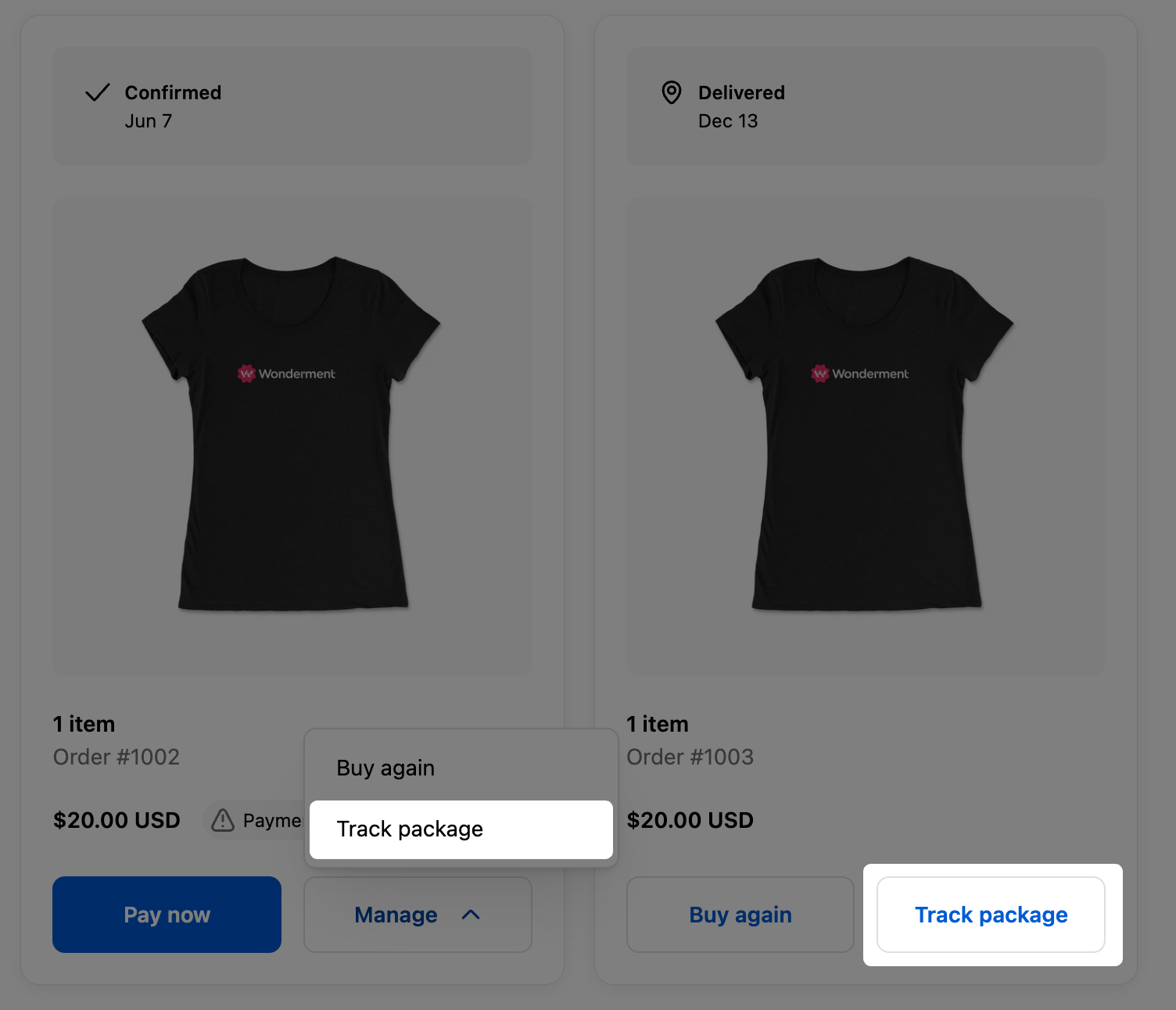
Customers can find the Track package action from an eligible order in their Shopify customer account. It appears alongside the other order actions available for that order.
Shopify customer account extensions let apps add self-serve functionality directly inside Shopify's customer account experience. You can learn more in Shopify's overview of Customer Account Extensions.
How to add it
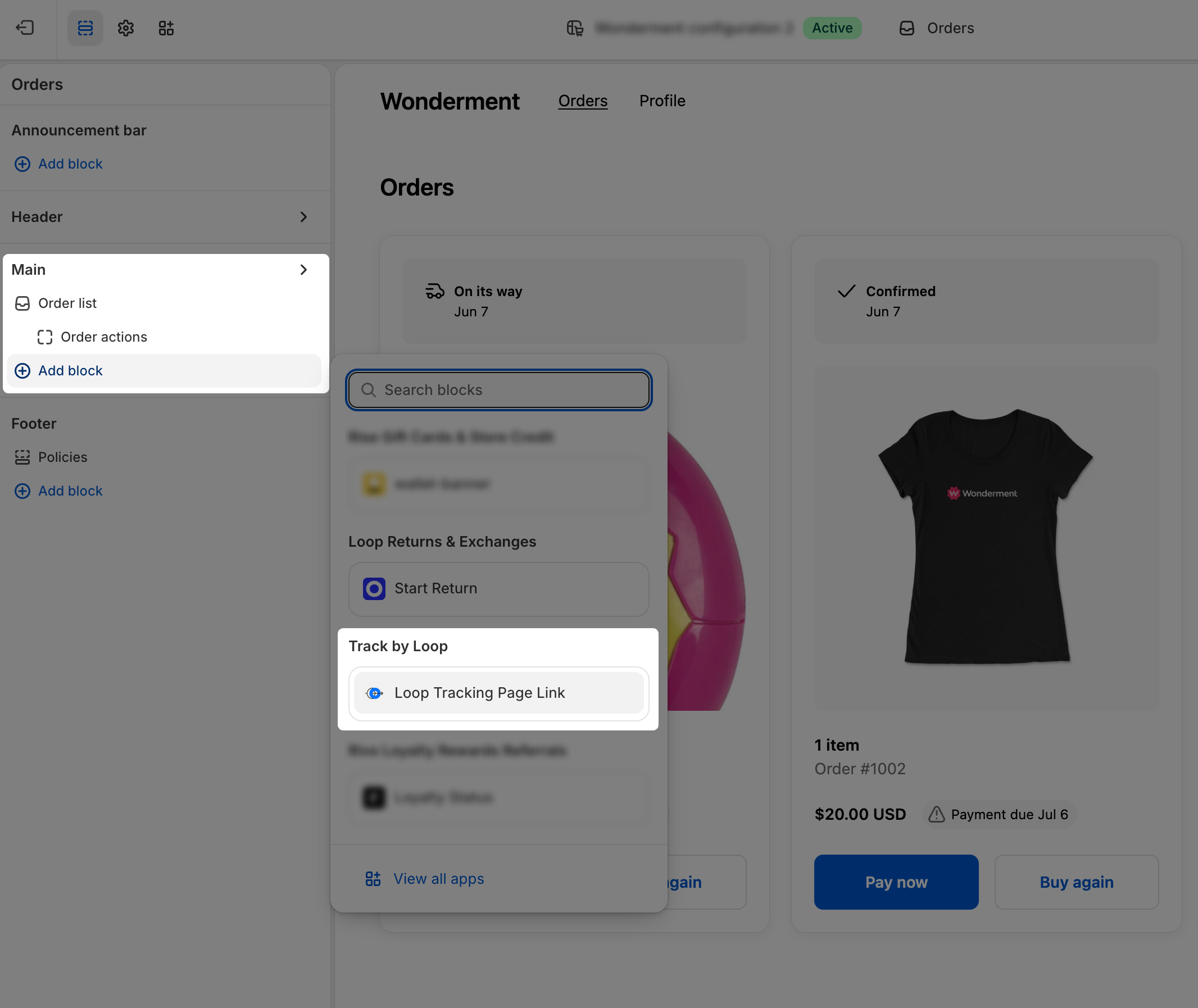
In Shopify admin, open the checkout and accounts editor for the store.
Go to the customer accounts experience where order actions are managed.
Add the Track by Loop app extension to the customer account order actions.
Save and publish the customer account changes.
Test with an order that has at least one fulfillment. The Track package action should appear on eligible orders.
Requirements
The merchant must be using Shopify customer accounts that support customer account extensions.
The Track by Loop Shopify extension app must be installed and the extension version must be published.
The app must have permission to read customer orders.
The order must have at least one fulfillment before the action is shown.
Troubleshooting
The Track package action is not showing
Confirm the order has at least one fulfillment. The extension intentionally hides itself for unfulfilled orders.
Confirm the merchant is using Shopify customer accounts, not a theme-based legacy account page.
Confirm the extension version is deployed and published in Shopify.
Confirm the app has permission to read customer orders.
The action appears but the tracking page does not load correctly
Confirm the order exists in Track by Loop and is associated with the same Shopify shop domain.
Confirm the shop's Track by Loop tracking page is configured and published.